add-circle-bold add-circle add-square add alarm-bell-1 alert-diamond analytics-pie-2 archive archive arrow-down-1 arrow-down-2 arrow-left-1 arrow-right-1 arrow-up-1 attachment-1 bin-paper-1 book-star button-record check-1 check-circle-1 close close-quote close cog-1 cog common-file-stack copy-paste credit-card-1 diagram-fall-down disable time-clock-midnight download-thick-bottom drawer-send envelope-letter envelope-letter expand-6 expand-6 file-code filter-1 floppy-disk flying-insect-honey folder-file-1 headphones-customer-support hierarchy-9 hyperlink-2 information-circle keyboard-arrow-down keyboard-arrow-up layout-module-1 list-bullets lock-2 lock-unlock-1 love-it messages-bubble-square move-to-top multiple-circle multiple-neutral-1 multiple-users-1 navigation-menu-horizontal navigation-menu network-browser open-quote pencil-1 pencil-write pencil-1 print-text rating-star rating-star remove-circle remove-square-1 search send-email-1 shield-warning single-neutral-actions single-neutral smiley-sad-1 smiley-unhappy smiley-indifferent smiley-smile-1_1 smiley-happy smiley-sad-1 smiley-unhappy smiley-indifferent smiley-happy smiley-thrilled social-media-twitter synchronize-arrows-1 tags-double ticket-1 ticket-1 time-clock-circle undo view-1 view-off view wench

Activate Workout Details in your Strava Activity Descriptions

(For English: see below)

Om de details van je uitgevoerde Vortza-training in Strava te bekijken, voer je de volgende stappen uit:

  1. Update de Vortza-app naar minimaal versie 1.2.7.
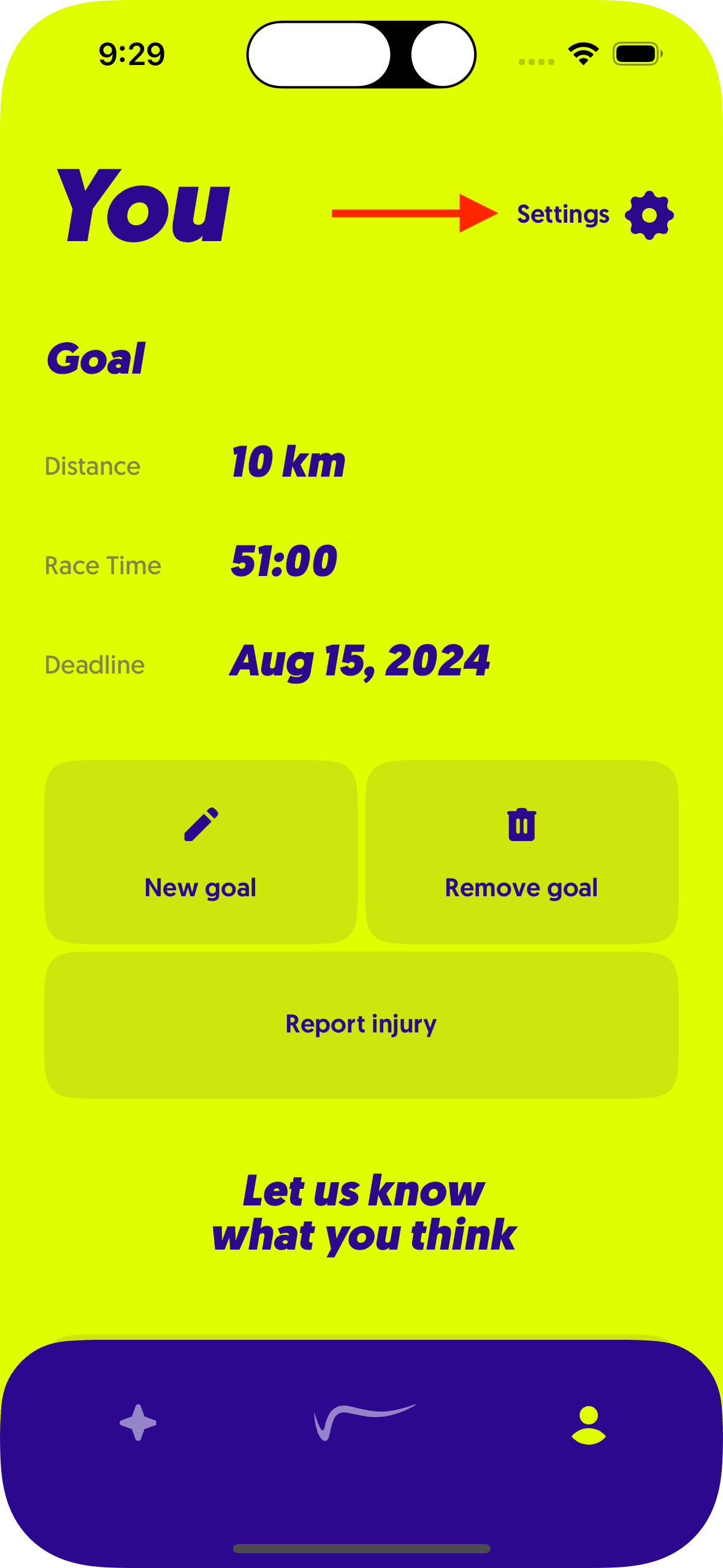
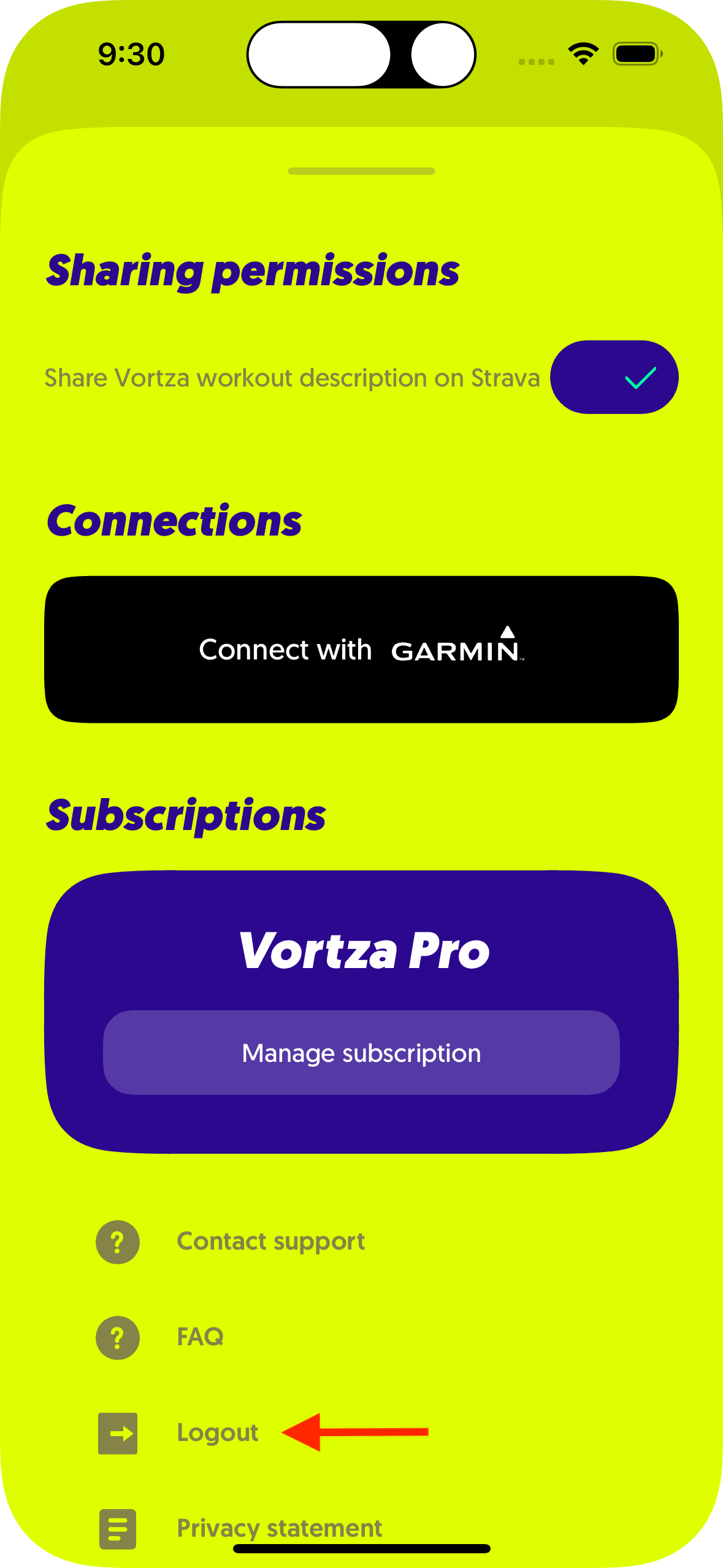
  2. Open de Vortza app en navigeer via je Vortza profiel naar de instellingen en klik op uitloggen.
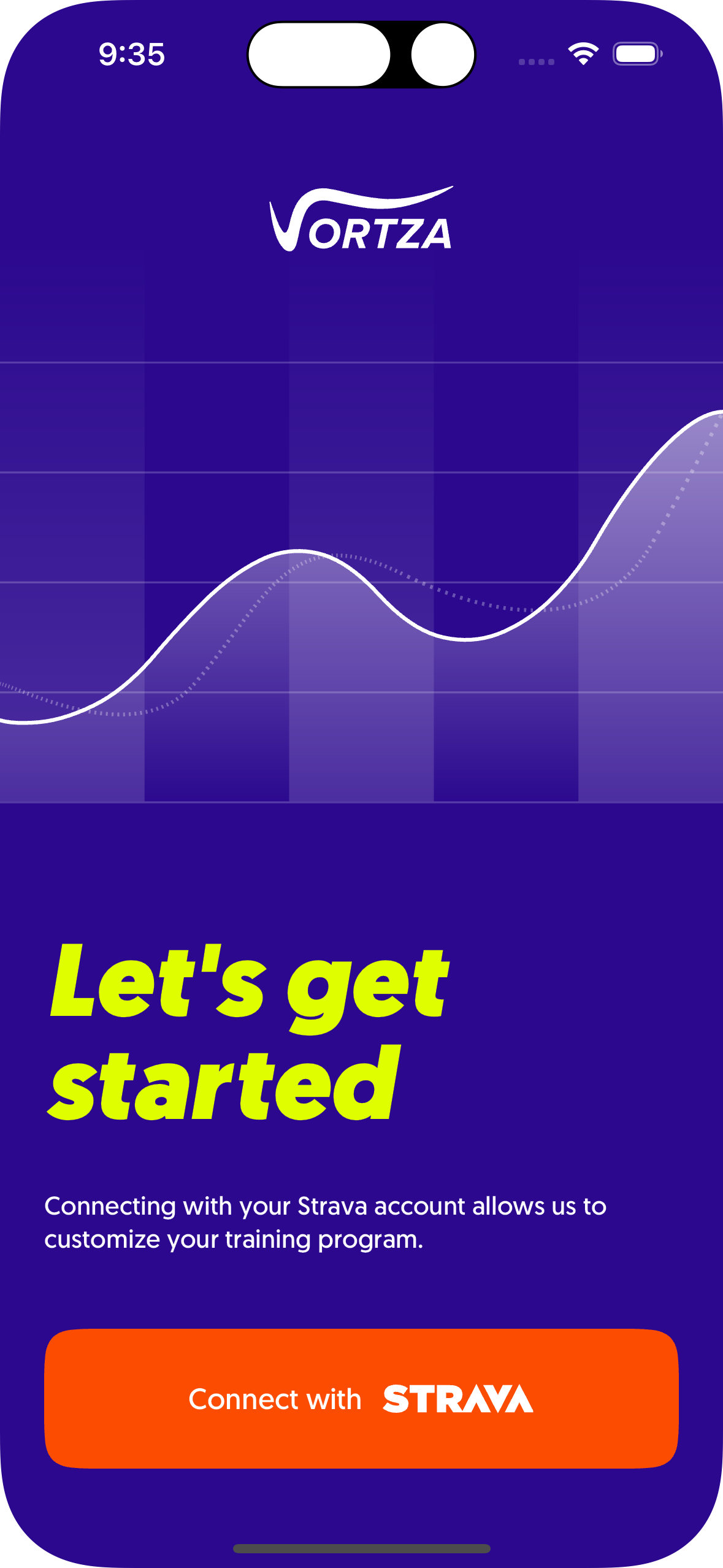
  3. Klik op de Strava-inlogmethode en je bent klaar!

---

In order to see the details of your performed Vortza workout in Strava, perform the following steps:

  1. Update the Vortza app to at least version 1.2.7.
  2. Open the Vortza app and navigate to the settings via your Vortza profile and click log out.
  3. Click the Strava login method and you're done!